
Finexo vs Excel: Which is Better for Managing CA Practice in India?
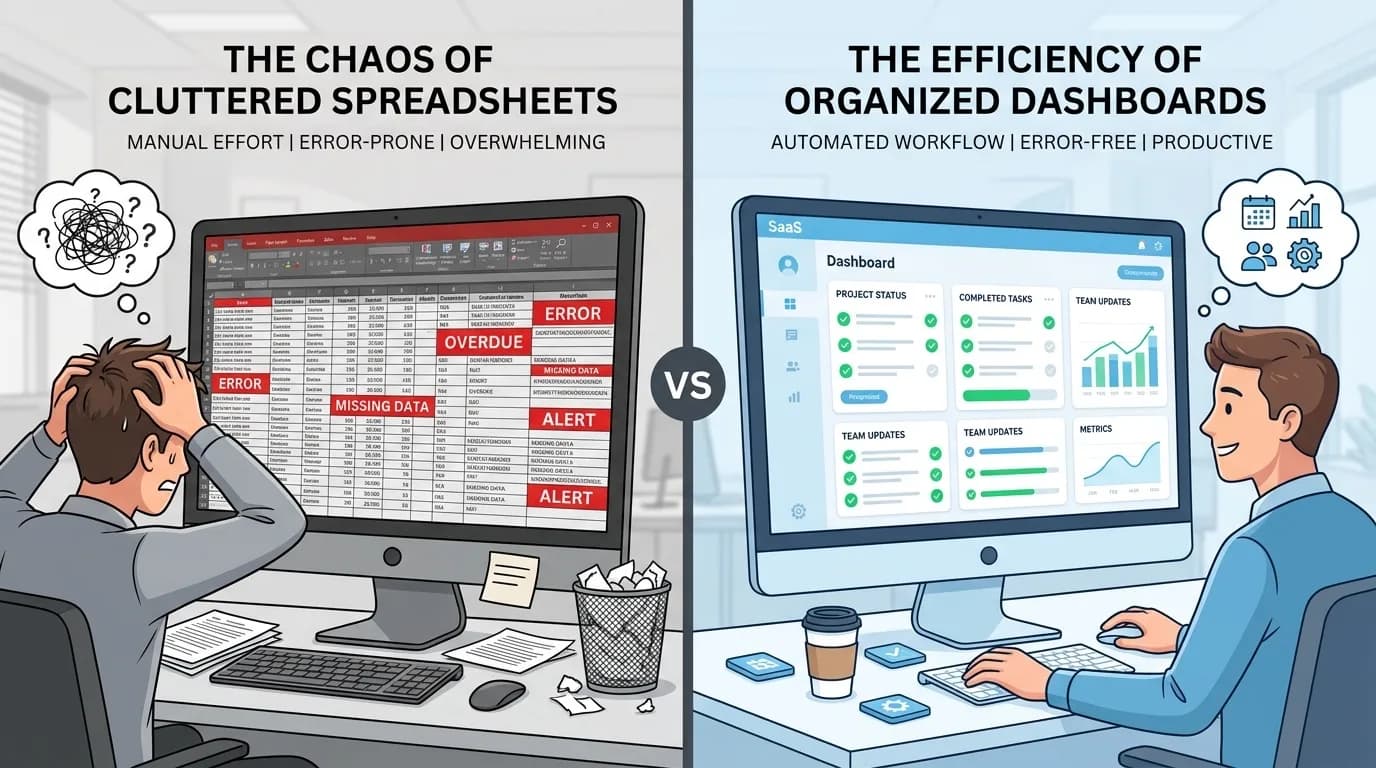
Excel is the better choice for a solo practitioner under about 50 clients with no staff. Finexo is the better choice once you cross roughly 100 GST clients or add a team of three or four, because that is the point where version conflicts, missing deadline reminders, unsecured portal credentials and manual monthly task creation start costing more than the ₹5,999/year the software costs. The dividing line is not spreadsheet skill. It is how many people touch the tracker.
I used Excel to manage my practice-related data for years. Client lists, GST filing trackers, TDS due dates, even passwords, all in different sheets, colour-coded, with conditional formatting I was genuinely proud of. And honestly, it worked. When you have 60-80 clients and you are the only one touching the sheet, Excel is more than enough.
Things changed when we crossed 150 clients and had four people on the team. Excel is not bad software. What follows is the exact moment it stops being enough, and what the shift to proper practice management software actually looks like.
The Excel setup that actually works
First, credit where it is due. A well-built Excel system for a CA firm typically looks like this:
- A master client sheet with GSTIN, PAN, contact details, and registration type
- Separate sheets for GSTR-1, GSTR-3B, and GSTR-9 filing status by month
- A TDS sheet with quarterly deadlines and challan references
- Colour coding: green for filed, yellow for pending, red for overdue
- Data validation dropdowns so the article clerks pick from fixed options
If you have built something like this, you already understand your workflow better than most software vendors assume. Your sheet design is probably fine. What breaks is everything around it, the moment real life, real deadlines, and real people start hitting it all at once.
Five things that break Excel for CA firms
Excel breaks for CA firms in five specific ways: simultaneous editing overwrites work, the wrong file version gets emailed, deadlines have no reminders, portal credentials sit unprotected, and performance and formula integrity collapse past roughly 200 clients. I have seen every one of these happen in actual firms, and dealt with most of them myself.
1. Two people, one file
My senior article clerk once overwrote three hours of data entry because we both had the master sheet open. He saved after me, and my updates vanished. Google Sheets fixes the simultaneous editing problem, but then you lose the VLOOKUP-heavy formulas and macros that make Excel actually useful for CA work.
2. The wrong version got emailed
A colleague in Surat had two copies of his client tracker, one on his laptop, one on the shared drive. His article clerk updated the shared version with March filing statuses. He updated his local copy with April deadlines. They emailed the local copy to the partner for review. The partner assumed March was incomplete and reassigned work that had already been done. Two clerks spent a full day redoing filings that were already submitted. Nobody realised until a client called asking why they received a duplicate acknowledgement.
3. No reminders, only memory
Excel doesn't ping you when a deadline is three days away. You have to remember to open the sheet, check the dates, and follow up manually. During peak filing season (say, the week before the GSTR-3B due date) things slip through. Not because anyone is careless, but because there are just too many things to hold in your head at once.
4. Password and credential chaos
Where do you store your clients' Income Tax portal passwords? GST portal credentials? If the answer is "a separate Excel sheet" or "a WhatsApp message from 2023," you already know the problem. There's no access control. Anyone with the file can see everything.
5. The scaling wall at 200 clients
Up to about 150-200 GST clients, a disciplined team can manage with Excel. Beyond that, the sheet gets slow, the formulas get fragile, and the time spent just maintaining the tracker starts eating into productive hours. I have seen firms spend 2-3 hours daily just updating their Excel sheets. That is time that could go towards actual client work.
What switching to Finexo actually looks like
Finexo is a practice management tool built specifically for CA and tax practitioners in India. Not a generic CRM with a GST label slapped on. It actually understands the difference between GSTR-1 and GSTR-3B deadlines, knows about QRMP vs monthly filing, and factors in registration type when creating tasks.
Five things change day-to-day when a firm moves from Excel to Finexo: client data consolidates into one profile, filing tasks create themselves, deadlines carry reminders, DSC expiry is tracked automatically, and every team member sees their own assigned work.
Client data lives in one place
Instead of a master sheet with 40 columns, each client gets a profile. GSTIN, PAN, contact details, portal credentials (encrypted, with role-based access), documents, filing history, all on one screen. Finexo's client management module is designed specifically for this. You search for a client name and everything is right there. No Ctrl+F across multiple sheets.
Tasks create themselves
Auto-task creation is the biggest single difference between the two. Finexo's auto-task engine creates filing tasks based on each client's registration type, QRMP selection, and registration date. You tell it to create GSTR-1 tasks on the 7th of every month, and it does, for every applicable GSTIN. No copying rows, no dragging formulas, no forgetting a new client. In Excel, you would create each row manually.
Deadlines have reminders
You get alerts when a filing deadline is approaching. You can even send bulk WhatsApp reminders to clients for pending documents, something that would otherwise eat an hour of manual messaging.
DSC expiry tracking
If you manage Digital Signature Certificates for clients, Finexo tracks expiry dates and sends alerts 30 days before renewal is due. In Excel, this is usually a column that nobody checks until it's too late.
Your team sees their work clearly
Each team member logs in and sees their assigned tasks. Partners see the full picture. Finexo's team management and workload tracking makes that possible. Nobody has to ask whose GSTR-3B is still pending in the office group chat.
A practical comparison
| What you need to do | How it works in Excel | How it works in Finexo |
|---|---|---|
| Check which clients have filed GSTR-3B for March | Open the GSTR-3B sheet, filter by month, scroll through and check manually | Filter by period and filing status: all pending clients in one list |
| Find a client's IT portal password | Search your password sheet or ask the clerk who set it up | Open client profile, check the encrypted credentials section |
| Assign GSTR-1 filing work to a team member | Tell them verbally or message on WhatsApp, hope they remember | Assign the task in the system; they see it on their dashboard with the deadline |
| Check if any DSC is expiring this month | Check your DSC tracking column (if you have one), sort by date | Automatic alerts 30 days before expiry; no need to check manually |
| Remind 50 clients to send documents | Send WhatsApp messages one by one, or create a broadcast list | Select clients, send bulk reminder via WhatsApp/SMS/Email in one click |
| Know how productive your team was this week | You do not, unless someone manually counts completed tasks | Task completion reports with filters by team member, period, and client |
When Excel is still the right choice
I am not going to pretend that every CA needs to switch to software immediately. If you are a solo practitioner with under 50 clients, no staff, and you are comfortable with your current Excel setup, it genuinely might not be worth switching right now. The learning curve is not steep, but it is there, and the cost (even though Finexo starts at Rs 5,999/year for 250 GST clients) is an expense you may not need yet.
Excel also works fine for one-off analysis, quick calculations, and anything that doesn't need collaboration or automation. I still use it for certain things. Just stop using it as your primary practice management system once you have outgrown it.
The real cost of not switching
Do the math. If your team of 4 spends 2 hours daily maintaining and updating Excel trackers, that is 8 person-hours per day. At roughly Rs 200/hour for an article clerk, that is Rs 1,600/day, or about Rs 40,000/month, just on tracker maintenance. Finexo's enterprise plan (500 GST clients, 20 users) costs Rs 9,999/year.
And that is before you count the cost of a missed deadline. One GSTR-3B late filing penalty is Rs 50/day per return, capped at Rs 10,000. Miss it for 20 clients and you are looking at Rs 1,000/day in penalties.
Most firms never add up those hours. They just treat it as part of running a practice.
Excel is rarely replaced by one obvious product, so it is worth comparing at least two before committing. How to choose practice management software covers the criteria, QwikCA alternatives for CA firms covers the shortlist, and the head-to-heads including Finexo vs QwikCA are on the comparisons hub. The specific symptoms that tell you the spreadsheet has run out are catalogued in 15 signs your CA firm has outgrown Excel.
Conclusion
Excel got most CA firms to where they are today. But if you have a team, more than 100 clients, and deadlines that keep you up during filing season, the tools have caught up. Finexo's practice management software for CAs and tax practitioners costs less per month than a single missed filing penalty, and it won't lose data because two people saved the same file at the same time.
Test it cheaply: move one month's GSTR-3B tracking into Finexo and keep your Excel sheet running in parallel for that cycle. If the software doesn't save you time within that one month, go back to Excel. You've lost nothing. For most firms I have spoken to, they never opened the sheet again.
Substitute any professional label you like and the comparison is unchanged. Tax consultants and tax practitioners running client compliance in Excel encounter the same version conflicts, the same unowned rows and the same manual monthly rebuild that chartered accountants do. The spreadsheet does not know what kind of firm it is failing.
Frequently Asked Questions
Is Excel enough for managing a CA practice?
It depends on your size. For a solo practitioner with under 50 clients and no staff, Excel works fine. Once you cross 100+ GST clients or have a team of 3-4 people, the manual tracking, version conflicts, and lack of automation start costing you real time and money.
What is the main difference between Finexo and Excel for CA firms?
Excel is a blank spreadsheet that you build into a tracker. Finexo is purpose-built for CA workflows. It understands GSTR-1 vs GSTR-3B deadlines, QRMP filing, registration types, and DSC expiry. The biggest practical difference is automation: Finexo creates tasks and sends reminders on its own, while Excel needs you to do everything manually.
How much does Finexo cost compared to Excel?
Excel is essentially free if you already have Microsoft Office. Finexo starts at Rs 5,999/year plus 18% GST for up to 250 GST clients and 10 users, roughly Rs 590/month. Their enterprise plan for 500 clients is Rs 9,999/year. For context, one missed GSTR-3B deadline across 20 clients can cost Rs 1,000/day in penalties, so the software often pays for itself quickly.
Can I import my existing Excel data into Finexo?
Yes. Finexo lets you import clients from Excel in a couple of clicks. You can also add GSTINs directly and it auto-fetches the business details from the GST portal. Most firms are up and running within 30 minutes.
Will my team find it difficult to switch from Excel?
There is a short learning curve, maybe a day or two for most team members. The interface is simpler than a complex Excel sheet, honestly. The harder part is the habit change: getting your article clerks to update tasks in Finexo instead of sending a WhatsApp message saying 'done'. But once they see their own task dashboard, most adapt within a week.
Should I switch to Google Sheets instead of Finexo?
Google Sheets solves the collaboration problem (multiple people editing at once), but it does not solve the automation, reminders, credential storage, or task management problems. You are still building and maintaining everything manually. If your main pain point is just simultaneous editing, Sheets might be enough. If you need actual workflow automation, it is not.
Does this comparison apply to tax consultants as well as chartered accountants?
Entirely. Tax consultants and tax practitioners tracking client compliance in Excel hit the same problems — conflicting versions, rows with no owner, no automatic recurrence, and a manual rebuild every month. The spreadsheet's limitations are structural, so they apply the same way whatever the firm calls itself.