
How to Choose Practice Management Software for Your CA Firm in 2026
A four-partner CA firm in Ahmedabad missed the GSTR-9 annual return deadline for 23 clients last July. Not because anyone forgot the deadline. Every CA knows when GSTR-9 is due. The article clerk who maintained their Excel tracker had accidentally left a filter on from the previous month. The filtered-out clients were invisible. Nobody checked. The total penalty came to roughly Rs 46,000.
They switched to practice management software that same week. And they are not alone. Over the last two years, especially among firms past 100 GST clients, the move off Excel and WhatsApp has picked up real speed. Most "best software" listicles will just hand you a feature checklist. I would rather tell you what to actually look at when you choose, because the feature list is where everyone gets it wrong.
What has changed for CA firms in 2026
If you looked at practice management software in 2023 or 2024 and decided it was not worth it, the ground has shifted under you since then:
- E-invoicing thresholds keep dropping. A firm that only handled GSTR filings two years ago is now tracking e-invoicing compliance for half its clients. That is more data, more deadlines, and more things to miss.
- The GST portal added layers: QRMP scheme tracking, ITC reconciliation, stricter matching. The compliance work per client has gone up even if your client count has not.
- Clients started expecting more. We hear this constantly from firms: clients now want WhatsApp updates on filing status, online document access, and they don't accept "Ramesh handles your file, he's on leave" as an answer anymore.
- Good article clerks are harder to find and keep. The ones who stay are the ones who are not spending their day copying data between Excel sheets. Firms that automate the boring work have lower attrition. It really is that simple.
Two years ago, practice management software was a convenience. For any firm above 100 clients today, the cost of not having it is higher than the cost of the software.
What actually matters when choosing CA software
Every tool on the market claims client management, task tracking, document storage, reporting. The checklist is identical across all of them, which is exactly why it tells you nothing. What separates software built for CA work from a generic tool with a GST sticker on it comes down to a handful of questions. Ask these before you ask about price.
Does it understand Indian GST compliance?
This one filter eliminates 90% of options. A generic project management tool like Trello or Asana can track tasks, sure. But can it automatically create GSTR-1 tasks on the 7th of every month for all your monthly-filing clients, while creating them quarterly for QRMP clients? Does it know that a composition dealer doesn't file GSTR-1 at all? Does it handle the difference between regular registration and ISD registration?
If the software doesn't understand these distinctions natively, you'll end up building the logic yourself, which defeats the whole point of buying software. Finexo's automated task management for CA firms handles all of this out of the box.
Can it handle credentials securely?
Every CA firm stores client portal passwords somewhere. For most firms, that "somewhere" is an Excel sheet, a shared Google Doc, or a WhatsApp message thread. None of these are secure, and none have access controls. Good practice management software stores credentials with encryption and role-based access, so a junior clerk can use the password to log into the portal but can't actually see or copy it. Finexo's client management system does this alongside all other client data (GSTIN, PAN, documents, filing history) in one organised profile.
Does the auto-task system actually work?
"You can create tasks" and "tasks create themselves" are two very different things. The auto-task engine is what saves real time at scale. Look for a system that considers registration date (do not create tasks for a client registered mid-month), cancellation date (stop creating tasks after cancellation), QRMP selection, and registration type. If the software can't factor in these details automatically, your team will end up manually adjusting every month, which is exactly what you were trying to get away from.
Is billing and fees tracking included?
Tracking who owes you money is almost as important as tracking who owes the government money. Good CA software ties invoicing to completed tasks, so you can generate a bill based on work actually done. And if it lets you send fee reminders over WhatsApp, even better, because that is where your clients actually reply.
How CA-specific software compares to generic tools
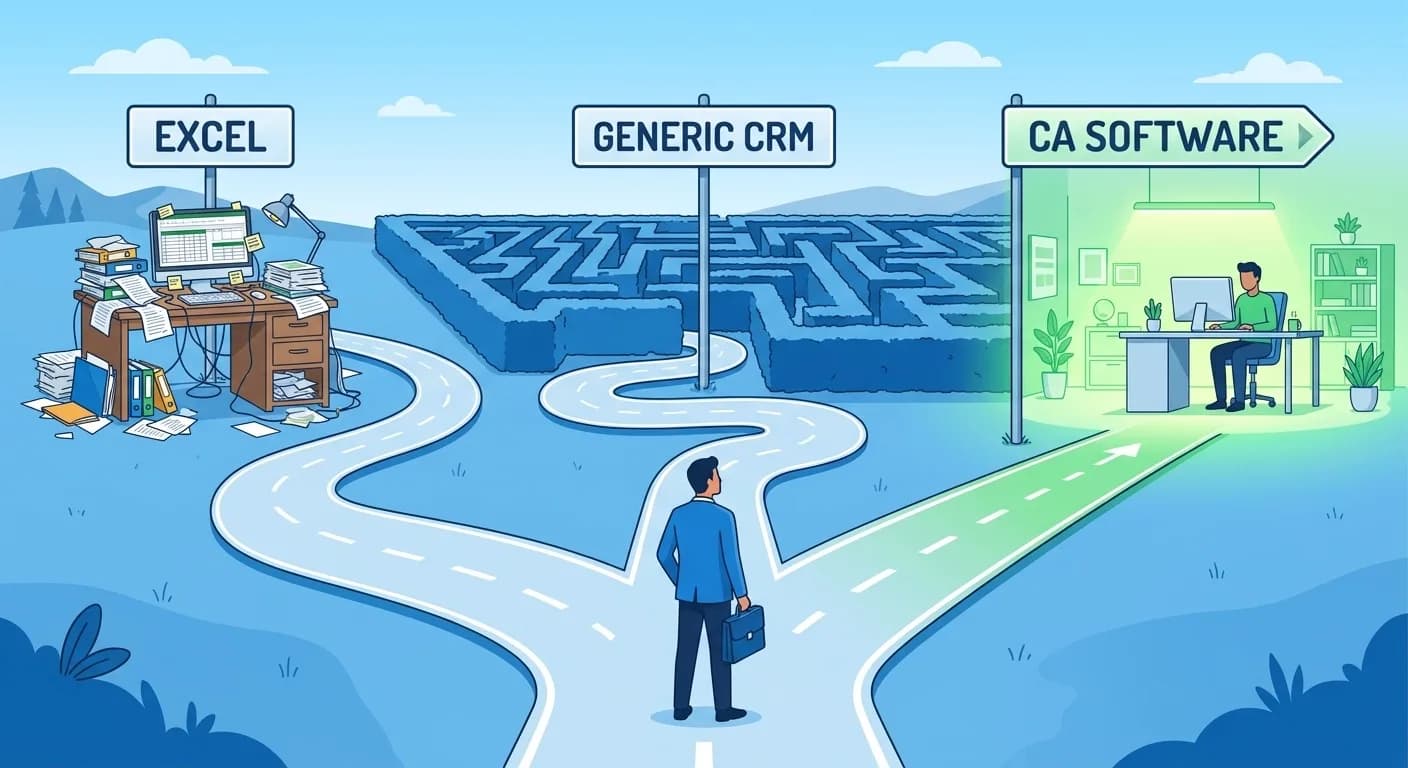
We regularly see firms evaluate three types of tools: Excel (or Google Sheets), a generic CRM or project management tool (Zoho, Trello, Monday.com), and CA-specific software (like Finexo, or a few other India-focused options).
How they actually stack up:
Excel is free and flexible. A well-built Excel tracker can handle 100-150 clients if one disciplined person maintains it. It breaks when multiple people need to update it, when you need reminders, or when you need to find information quickly across hundreds of clients. It has no automation, no access control, and no audit trail.
Generic CRMs and project tools solve the collaboration problem. Multiple people can work in Trello or Zoho simultaneously. But they have no understanding of GST, ITR, or TDS workflows. You will spend weeks setting up custom fields, automations, and dashboards, and they still won't understand QRMP or create filing tasks on their own. Plus, they charge per user per month, which gets expensive fast with a team of 10-15 people.
CA-specific software is built for this exact workflow. Finexo, for instance, charges a flat annual rate, not per user per month, which makes a big difference once you have a team of 10-15 people. It handles auto-task creation, credential storage, deadline alerts, client reminders, and document management, all tuned to how Indian CA firms actually work. The trade-off is less customisability than a generic tool (you can't build a sales pipeline in it, for example), but for practice management specifically it does far more out of the box.
What Finexo does not do (yet)
No tool does everything. These are the gaps we have noticed with Finexo specifically:
- It doesn't replace your accounting software. You still need Tally or a similar tool for your own firm's books. Finexo Books exists as a separate product for accounting, but PMS and Books are not deeply integrated yet.
- It doesn't file returns for you. It tracks and reminds, but the actual filing still happens on the GST/IT portal. Some competitors offer portal integration; Finexo doesn't currently.
- The mobile experience is functional but not as smooth as the desktop version. If your team works primarily from phones, check this before committing.
Beyond those gaps, it covers the ground well, from team workload tracking to billing to DSC renewal alerts. Over 1,500 CA firms use it as of early 2026, managing upwards of 4 lakh clients collectively.
Conclusion
Here is a simple test for any CA practice management tool: import your client list and see if it creates next month's filing tasks correctly without you configuring anything. If it knows which clients are on QRMP, which are composition dealers, and which GSTINs were cancelled, it was built for this work. If you have to set all of that up yourself, you have bought a fancier spreadsheet.
Frequently Asked Questions
What features should I prioritise when switching to practice management software for the first time?
Start with auto-task creation and deadline tracking. These two features alone eliminate the most common source of missed filings. After that, look for secure credential storage (so you are not keeping client passwords in a shared Excel sheet) and bulk client reminders. Reporting and billing features matter too, but they are less urgent than getting your compliance tracking right.
How much does CA practice management software cost in India?
Prices range from about Rs 5,000 to Rs 25,000 per year depending on client capacity and features. Finexo starts at Rs 5,999/year for 250 GST clients and 10 users. Their top tier is Rs 24,999/year for 1,000 GST clients and 60 users. Compare this to per-user-per-month tools like Zoho which can cost Rs 30,000-50,000/year for a team of 10.
Can practice management software replace Excel completely?
For practice management (tracking clients, deadlines, tasks, and documents), yes. But you will probably still use Excel for ad-hoc calculations, data analysis, and things that do not fit neatly into any software. The goal is not to delete Excel from your computer. It is to stop using it as your primary operating system for running the practice.
Is it worth switching if I only have 50-80 clients?
At that size, the urgency is lower. If you are a solo practitioner with no staff, your current system probably works fine. But if you have even 2-3 team members and plan to grow, setting up a proper system now is much easier than migrating at 200 clients when things are already chaotic.
How long does it take to set up practice management software?
The technical setup, importing clients and configuring task schedules, usually takes a few hours to a day. Getting your team comfortable with the new workflow takes longer, typically 2-3 weeks. The firms that succeed with the transition are the ones that commit fully rather than running the old Excel system and the new software in parallel.