
What Is Practice Management Software for CA and Tax Practitioners?
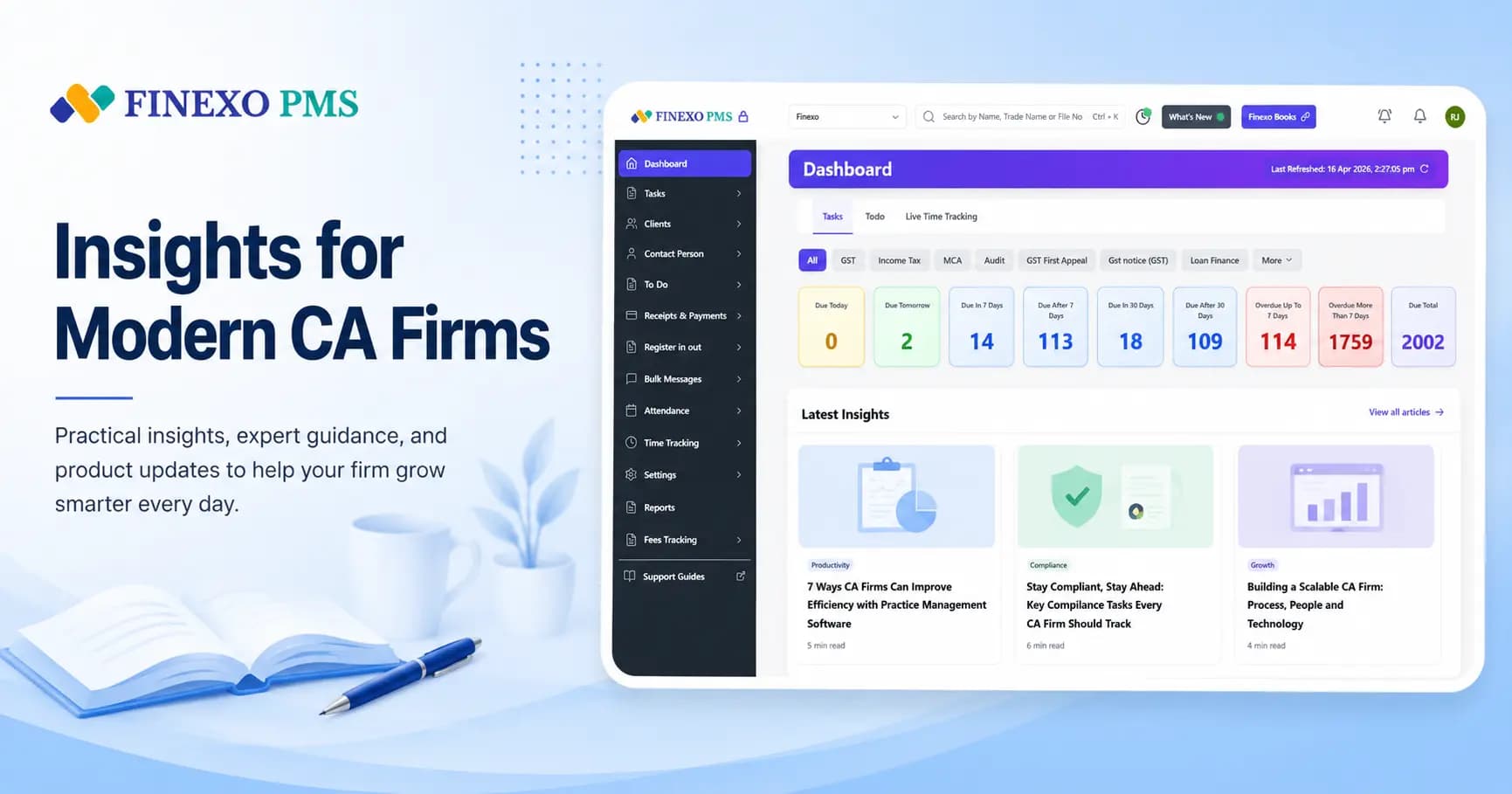
Practice management software for CA and tax practitioners is a specialized platform that helps firms manage clients, compliance tasks, team work, documents, billing, and reminders from one dashboard — replacing Excel trackers, WhatsApp groups, and paper diaries.
If you manage GST, ITR, and TDS work across dozens or hundreds of clients, that is the short version. The longer version matters because firms often buy the wrong category of tool: accounting software when they need firm ops, or a generic to-do board when they need Indian compliance automation.
Key takeaways
- Practice management software runs your firm: clients, compliance tasks, team ownership, documents, and billing — not a client's books of account.
- For Indian CA and tax practices, it should understand GST, ITR, TDS cycles, QRMP, and registration details — not just generic to-do lists.
- Most firms feel the need when client volume, team size, or filing-season chaos outgrows Excel and WhatsApp.
- Finexo PMS is used by 1,500+ CA firms; plans start at ₹5,999/year with a free trial.
What is practice management software for CA and tax practitioners?
India has over 3.5 lakh registered chartered accountants (as per ICAI). Most practices still run day-to-day work across spreadsheets for deadlines, chat threads for status, and folders for documents. Practice management software pulls that into one system built around how a compliance practice actually operates: recurring filings, staff handoffs, client chases, and fees.
For Indian firms, the useful version understands GST returns (GSTR-1, GSTR-3B), Income Tax returns, TDS cycles, QRMP selection, and registration details — so work is generated from client setup, not typed from scratch every month.
Why CA and tax firms in India need it
A firm with 200 GST clients can face 400+ compliance tasks in a normal month. Without automation, someone rebuilds or updates a tracker by hand — and that tracker is usually out of date by the time GSTR-3B week arrives.
The pain is rarely “we forgot what GST is.” It is operational: who owns which return, which client still owes documents, which DSC is about to expire, and which completed jobs never became an invoice. Practice management software exists to make that portfolio visible and assignable.
Generic project tools do not fix this on their own. They can hold tasks, but they do not know a composition dealer from a regular registrant, or that QRMP changes the filing rhythm. That is why CA-specific practice management software became its own category in India.
Practice management software vs accounting software
Accounting software keeps an entity's books. Practice management software runs the firm's client work. Firms mix the two up constantly, and buy the wrong category as a result.
| Accounting software | Practice management software | |
|---|---|---|
| Job | Records invoices, expenses, ledgers, bank reconciliation, and GST for one business | Tracks which client's return is due, who is assigned, what is pending, and what you have billed across the portfolio |
| Answers | “What do this entity's books look like?” | “What is the status of my entire client book?” |
| Finexo example | Finexo Books | Finexo PMS |
Most CA firms need both. One tool does not magically become the other because it has a “tasks” tab. For more on that split, see our guide to the best accounting software for CA firms.
Practice management software vs Trello, Asana, and Excel
Excel is where almost every firm starts — and it works until the sheet has multiple owners, conflicting copies, and no reliable link to client registrations. WhatsApp then becomes the unofficial status board.
Trello and Asana are fine for general projects. They will not auto-create GSTR-1 and GSTR-3B tasks from a GSTIN, factor QRMP, track DSC expiry in a CA-native way, or sit next to professional billing for compliance work. You can force a board to look like a practice. You will still do the compliance thinking yourself.
Purpose-built practice management software for CA firms treats Indian compliance as the product, not a label you add to a generic kanban card. For the Excel tipping point in more detail, read Finexo vs Excel for CA practice management.
Core features of CA practice management software
Feature lists vary by vendor. These are the capabilities that usually decide whether the tool actually runs a practice:
- Compliance task automation — auto-create GST, ITR, and TDS work from client return setup instead of typing hundreds of rows every month.
- Compliance calendar — due dates become client-specific tasks so partners see what is pending across the practice.
- Client management — one place for client details, portal credentials, and the context your team needs to file.
- Document management — store working papers and client files next to the work, not only in someone's laptop folder.
- Team management — assign work, set permissions, and see who owns which filing without chasing WhatsApp status updates.
- Billing and invoicing — raise fee invoices from completed work so billable tasks do not disappear into an unbilled pile.
- Client reminders and WhatsApp — nudge clients for pending data with bulk templates instead of one-by-one chats.
- Client portal — let clients share documents and stay in the loop without clogging email inboxes.
Who should use it
Chartered accountant firms are the core audience — solo practitioners through multi-partner offices. The same workflows also fit registered income tax practitioners, GST practitioners, Company Secretaries, and consultants who manage recurring compliance for a client book.
If your days are defined by filing calendars, staff assignment, and client document chases — not only by writing journal entries — you are in practice management territory.
When a firm outgrows Excel
You do not need software because a blog said so. These are the practical signals firms usually hit first:
- More than one person updates the same deadline sheet — and versions disagree
- You manage roughly 100+ active compliance clients (or fewer, but with a growing team)
- Filing season means constant “what’s pending?” messages instead of a live dashboard
- Client passwords and documents live in personal chats and local folders
- Completed work regularly fails to become an invoice
- A missed return or late fee would cost more than a year of software
Before vs after practice management software
Same firm, same clients — different operating system for the work.
| Before | After |
|---|---|
| Deadlines live in Excel sheets that go stale by the 10th of the month | Compliance tasks generate from return type, QRMP, and registration details |
| Client passwords and GST portal logins sit in WhatsApp chats and sticky notes | Client data and credentials sit in one searchable practice vault |
| Partners ask every article clerk for status updates during filing season | Every filing has an owner, a due date, and a visible status |
| Reminders go out one client at a time — or not at all | Bulk WhatsApp, SMS, and email reminders chase pending documents early |
| Completed work is easy to forget when it is time to raise invoices | Invoices can follow completed tasks so less work goes unbilled |
| DSC renewals and registration changes get noticed only after something breaks | Partners see practice-wide pending work without a status meeting |
How to choose practice management software for CA firms
Ignore the longest feature checklist. Ask whether the product understands Indian compliance work out of the box:
- Does it auto-create Indian compliance tasks (GST, ITR, TDS) from client setup — or do you rebuild trackers by hand?
- Can partners see firm-wide pending work without asking each staff member?
- Are client credentials and documents tied to the client record, not a separate drive?
- Can you assign work with role-based access for partners vs juniors?
- Is pricing clear for your client count and team size — with no surprise per-feature add-ons?
- Can you import an existing Excel client list and start productive use in days, not months?
For a fuller buying filter, see how to choose practice management software in 2026, our top 10 PMS roundup, and sourced competitor comparisons.
How Finexo PMS fits
Finexo PMS is practice management software built for Indian CA and tax practices. It auto-creates compliance tasks from client return setup, keeps client data and documents with the work, supports team assignment and permissions, and connects reminders and invoicing so filing season is not a separate WhatsApp economy.
Over 1,500 CA firms use Finexo. Plans start at ₹5,999 per year — see PMS pricing — with free onboarding and a free trial. Most firms import clients and start productive use in about 30 minutes.
Finexo also offers online accounting software and professional websites for CA firms if you need books or a practice site alongside PMS.
Bottom line
Practice management software for CA and tax practitioners is the system that runs the firm: deadlines, ownership, documents, reminders, and billing for a compliance portfolio. Accounting software keeps books. Generic project tools hold tasks. Only CA-specific practice software connects Indian filing rules to day-to-day work at scale. If Excel and WhatsApp are already failing you during filing season, that is the category to evaluate — not another spreadsheet template.
To close the definition properly: practice management software is not a chartered accountant's tool specifically. It is the operating system for any Indian compliance practice — chartered accountants, tax consultants and tax practitioners alike — because what it manages is recurring statutory work against government portals, and that work is defined by the client's registrations rather than by the professional's designation.
Frequently Asked Questions
What is practice management software for CA and tax practitioners?
Practice management software for CA and tax practitioners is a system that runs the firm: client records, compliance task tracking for GST, ITR and TDS, team assignment, documents, billing, and reminders — in one place. It replaces scattered Excel sheets, WhatsApp groups, and paper diaries. Unlike accounting software, it does not maintain a client's books of account; it tracks the work your practice owes across the whole portfolio.
How is practice management software different from accounting software?
Accounting software records one entity's books — invoices, expenses, ledgers, bank reconciliation, and GST returns for that business. Practice management software runs your firm: which client's return is due, who is assigned, what documents are pending, and which fees you have billed. CA firms typically need both. Finexo Books handles books; Finexo PMS tracks practice-wide compliance work.
Why don't Trello, Asana, or Excel work well for CA firms in India?
Generic tools can hold to-do lists, but they do not understand Indian filing cycles, QRMP selection, return types, or DSC tracking. A firm with 200 GST clients may need 400+ compliance tasks every month. Without software that generates those from client registrations, someone rebuilds the tracker by hand — and that is where deadlines slip.
When should a CA firm move from Excel to practice management software?
Common triggers: you have a team (not just one person who knows where everything is), you manage roughly 100+ active compliance clients, filing season needs constant status chasing, or billable work is getting missed. Solo practitioners with a smaller book can still benefit if deadlines and client data are already hard to keep straight.
Who can use CA practice management software besides chartered accountants?
Any Indian tax professional managing compliance deadlines, client data, and a team can use it — including income tax practitioners, GST practitioners, Company Secretaries, and financial consultants. The workflows are built around compliance portfolios, not only ICAI membership.
How much does practice management software for CA cost in India?
Finexo PMS plans start at ₹5,999 per year (Premium), with higher tiers for larger GST client counts and more users. All plans include the core practice features; there are no setup fees, and you can start with a free trial. Exact fit depends on how many GST clients and users you need — see Finexo PMS pricing for current limits.
How long does it take to set up practice management software?
Most Finexo firms import clients from Excel, create team logins, and start using auto-created compliance tasks in under 30 minutes with free onboarding support. Full habit change across a larger team takes longer, but the technical migration is usually the easy part.
Is practice management software the same as a CRM?
No. A CRM focuses on leads, pipelines, and sales follow-ups. Practice management software for CA firms focuses on recurring compliance work, deadlines, staff ownership, documents, and professional billing for an existing client book. Some tools blur the line; the buying question is whether Indian compliance automation is first-class.
Is practice management software only for chartered accountants, or also for tax consultants?
For both. Practice management software manages recurring statutory work against government portals, and that work is defined by the client's registrations rather than by the professional's designation. Chartered accountants, tax consultants, tax practitioners and GST practitioners all use the same category of tool for the same reasons.